
How to Use a SOCKS5 Proxy on an Android Phone?

Using the v2rayNG app to set up a SOCKS5 proxy on your Android phone can help you encrypt your network connection, access region-restricted content, and enhance privacy and security. Here are the detailed setup steps:
Materials:
- Android Phone: Ensure your phone is connected to a network.
- v2rayNG App: Download and install the v2rayNG app from the app store. (Suggested version V 1.7.30 available here)
- Valid SOCKS5 Proxy IP Address and Port: Obtain a valid proxy IP address and corresponding port information.
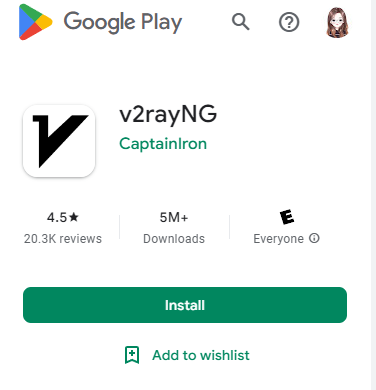
Download and install v2rayNG from the Google Play Store, or visit the v2ray official GitHub repository. Although the official version has many releases, I generally prefer using v2rayNG.
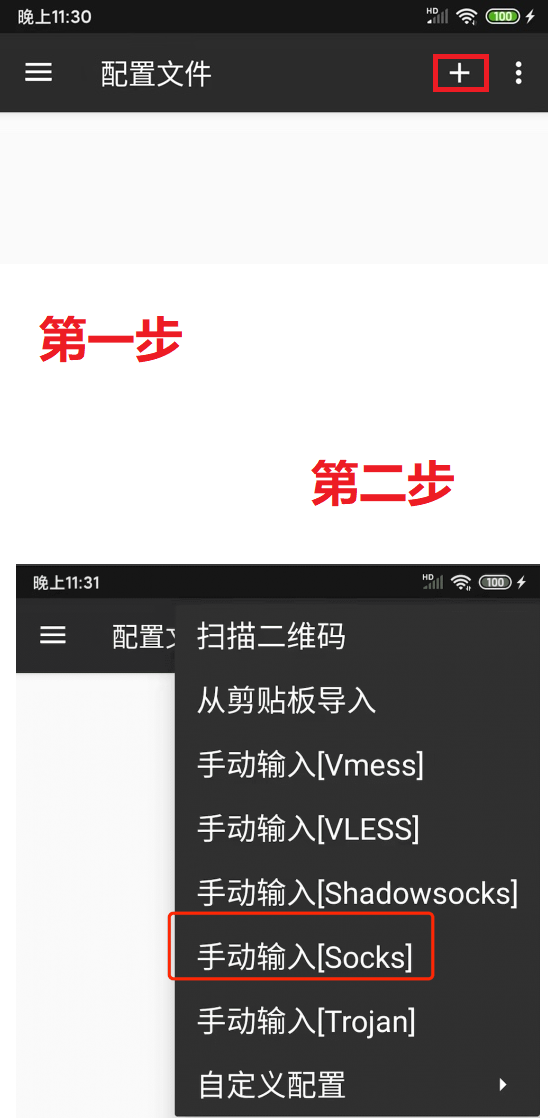
Open the v2ray app, click the '+' on the sidebar, and select "Manual Input [Socks]". It's crucial that the account information is complete and accurate, and that no spaces or errors are present in the username or password.
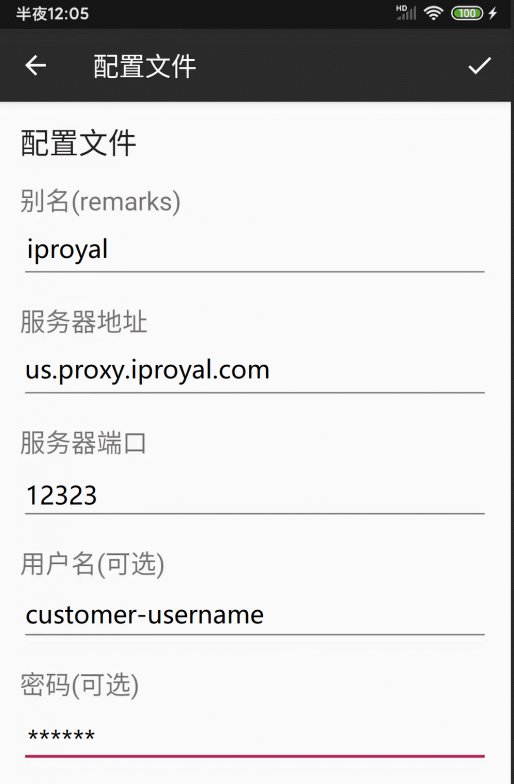
Correctly Enter SOCKS5 Proxy Information
Following the previous step, correctly enter the purchased SOCKS5 proxy information.
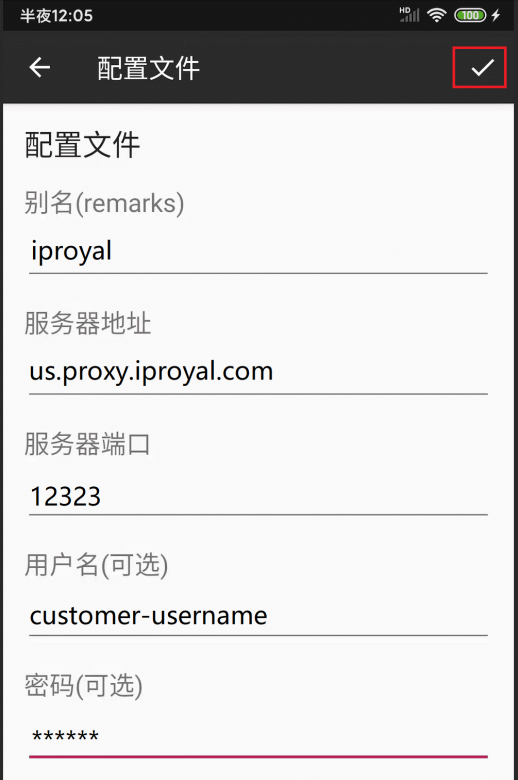
Save Information
After confirming the information is entered correctly, click the checkmark in the upper right corner to save the node information.
Set Up the Proxy
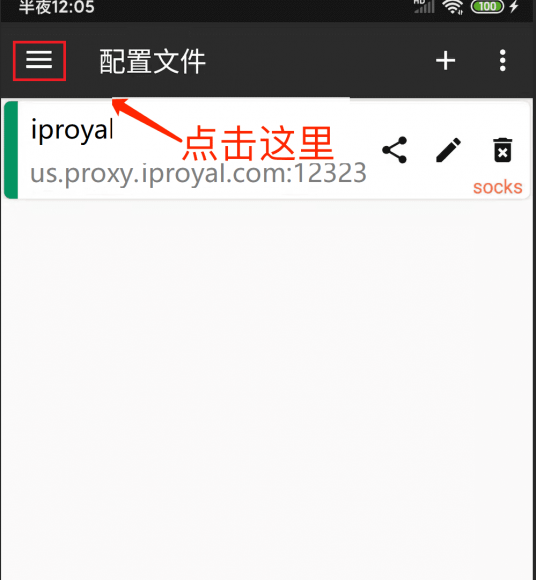
The interface will revert to the proxy node list. Open the menu in the upper left corner and click settings:
Set DNS and Local Routing
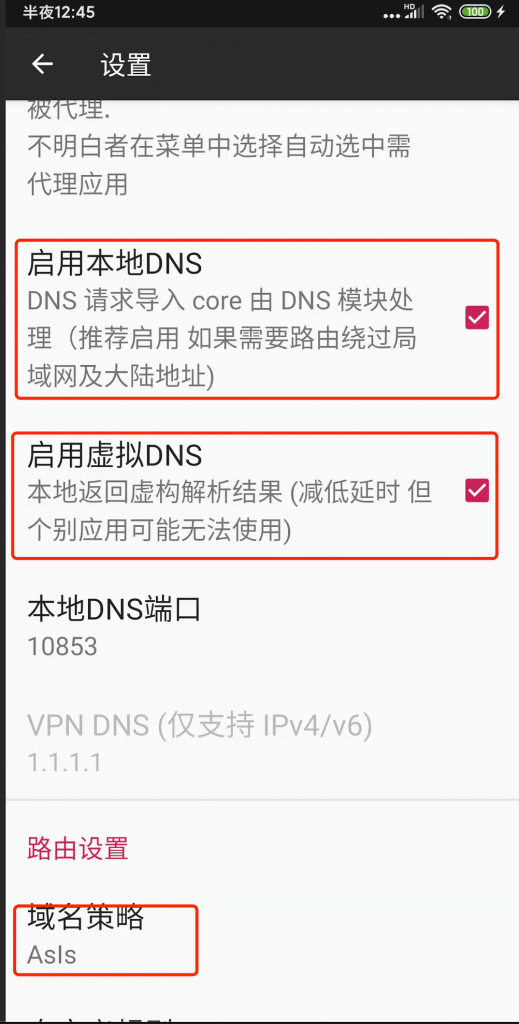
Select 'Enable Local DNS' and 'Enable Virtual DNS' (if available), and choose 'AsIs' for the domain strategy. Then return to the list page.
Start the v2ray Proxy
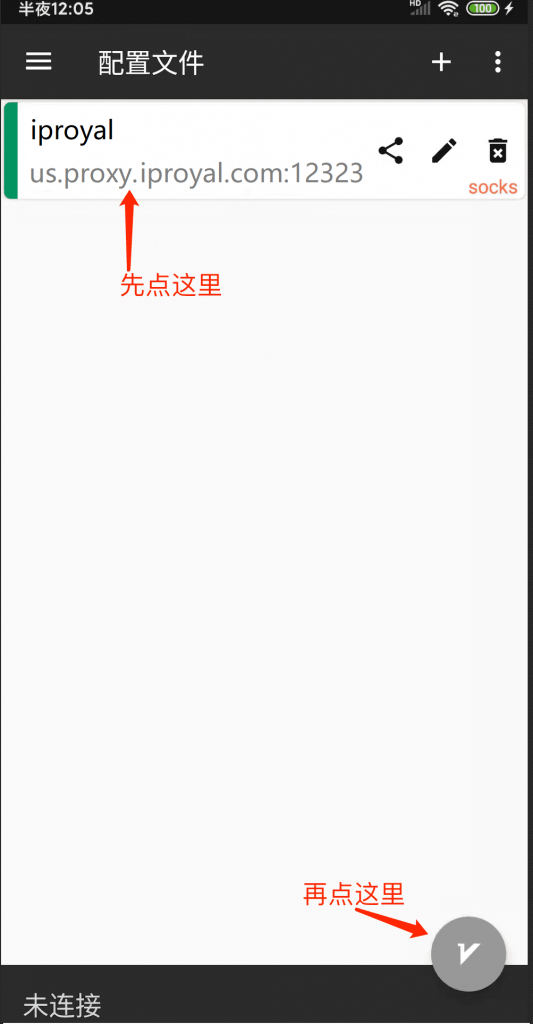
Now, select the node we just added, and then tap the button on the bottom right of the screen to connect to our node.
Check the Proxy
If a '?' symbol appears in your phone's signal bar, it means your proxy has started successfully. You can also tap the bottom of the app to check the ping value of your proxy.
By following these steps, you can set up a SOCKS5 proxy on your Android phone using the v2rayNG app. Ensure you enter the correct proxy IP address and port number and enable the proxy to ensure the settings take effect.
How to Use a SOCKS5 Proxy on an Android Phone? review FAQ

Discord has become the go-to p...
Discover the best Socks5 Proxi...
Proxy connection tools are pow...

Using the v2rayNG app to set u...